Wumpus with a friend.
Engineering & Developers

Modernizing the Video Playback Experience at Discord

Discord is the best way to chat and game with your friends. Part of that is ensuring that it’s a great place to share all types of media as well, such as pictures and video content. And that’s exactly what the Media Infrastructure team focuses on: making media awesome to share and watch on Discord!

Today, we want to talk specifically about videos. With more than 90 million people using Discord every day, sharing videos with friends is a huge part of how people hang out here. Our Media Infrastructure team decided to step back and think deeply about how to make the video-watching experience even better.

We set ourselves three goals:

  • Modernize the user experience by giving it a fresh coat of paint!
  • Lay a foundation for great video playback everywhere in Discord. After all, one of our engineering mantras is “Build technology to be reusable.”
  • Make it fast and safe to change. We’ve got a lot of great ideas planned, and we want any team to be able to improve the player without holding their breath!

This is the story of how we assessed and refactored two video players into one, cutting the player code each product maintained by up to 94%(!!), and ultimately swapping in the first version of the new player without any users noticing.

Four Players, No Shared Code

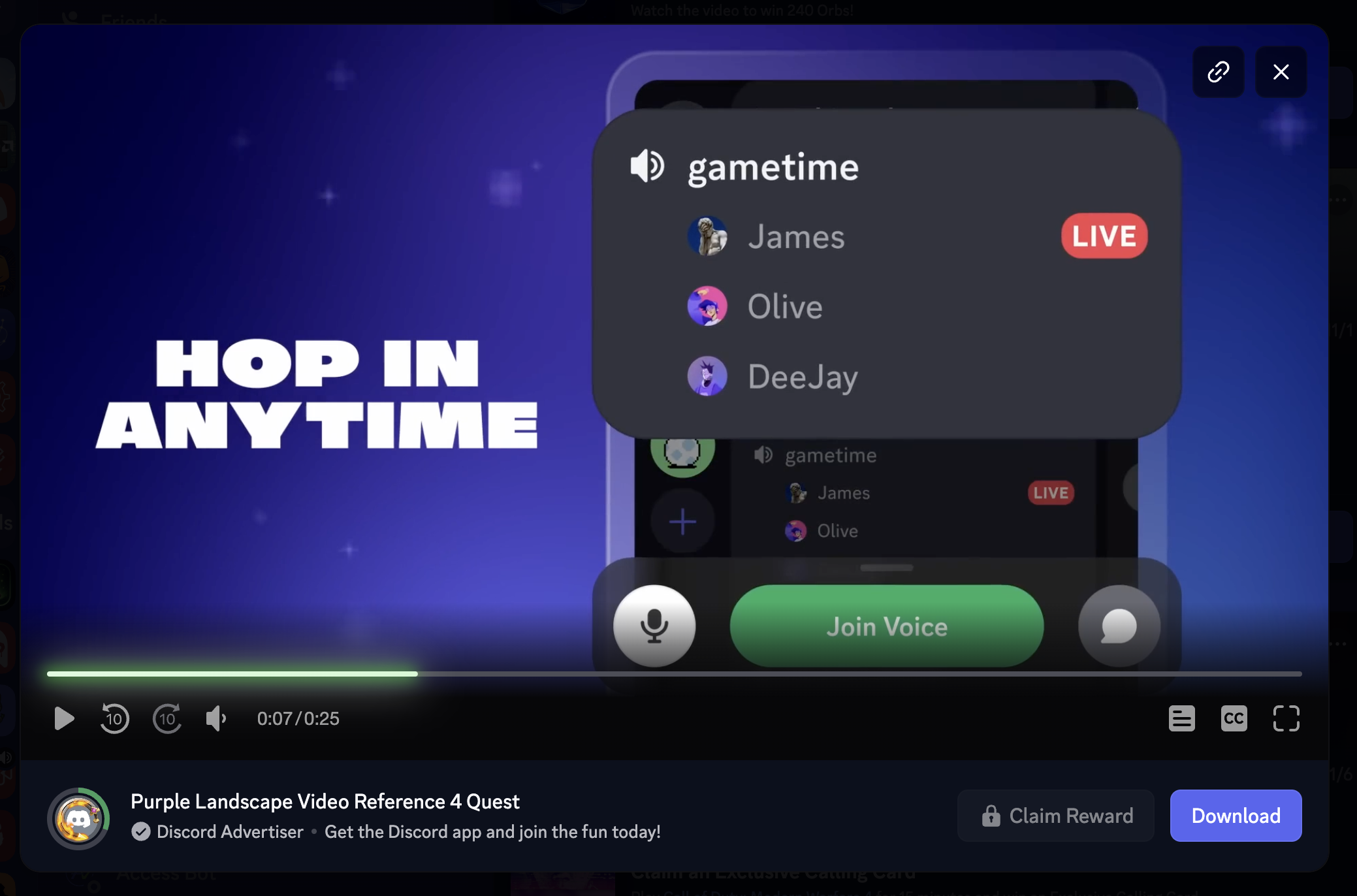
Our first step was finding every place Discord plays video. Somehow, we managed to uncover four separate video player implementations. The two biggest, the attachments player and the Quest player, didn't share a single line of code. And neither had a single test! That meant every new feature had to be built twice, and every bug had to be fixed twice.

  • The attachments player is the most common player, used whenever a video attachment is uploaded to a chat.
  • Then there's the Quest player, the one that gives you a nice stipend of Discord Orbs for watching. It had grown into our most feature-packed player: reward markers on the timeline, end cards, progress rings, and custom animations, all built just for Quests.
  • Finally, there are several surfaces where silent videos are used as effects and backdrops, such as the animation for Orbs. Those turned out to be a different and much smaller problem. We handled them with a lightweight video effect component that plays a silent video without any of the player machinery.

We had to start somewhere, and we chose Quests. Two reasons for that:

  1. The Quest player had grown to include a very rich set of functionality over the years compared to our simpler media player. Think Quest reward indicators, end cards, cool player effects, animations, all that stuff. That was functionality we wanted to match out of the gate.
  2. Starting with Quests was a more contained surface where we could develop more quietly before rolling out to the much more broadly exposed player in conversations where videos were being shared.

Preparation

With that in mind, the goal wasn’t to just go out and start writing an entirely new video player. Rather, we wanted to analyze the structure of the Quest player to understand what we could decouple now vs what was truly Quest player-specific.

We wrote 60 new unit tests to exercise the Quest player’s various functions.

And then we went one step further and put the Quest player into the component playground, shown below, and introduced 7 new Playwright tests into the codebase for fully end-to-end testing that help ensure that we also automatically test every use case possible for the video player.

To that end, we then designed a single shared interface that would be targeted by both the existing Quest player and the new Discord Video Player, or DVP for short. This new DVP would be the foundation for our new refactor.

Extraction

Here’s where the real work started! For each subcomponent of the player, we wrote additional unit tests to cover its specific functionality and added end-to-end tests on top of that to ensure all the pieces still fit together. We had already done the easy decoupling. Now was the time to take the harder pieces and refactor them.

This meant teasing apart basic subcomponents of the player (such as the progress bar, playhead indicators, and playback controls)and making sure we had clean and shareable interfaces on top of them. Where these could be used by both the old and new players, we did so. Where it wasn’t possible immediately, we had to break down the components until we had the reusable pieces in a clean and logical manner, and then rework the customizations on top of them.

Notably, this meant we never rewrote the player full stop. Every subcomponent got a heavy dose of analysis and testing until it could work in both the old and new players.

Partway through, we got a ping from our friends from the Clips team. Would we be open to them building their new embed on top of the DVP? You bet. That was the whole point!

Clips actually moved to early access in late March, seven weeks before Quests shipped. Their needs went straight into the shared player; examples are a placeholder thumbnail that shows while a clip loads, and a clip download button placed in the control bar. It felt like a detour at the time, but having a second real product on DVP that early was a great forcing function to ensure the player was sharing as much code as possible across both surfaces.

The payoff came when we flipped Quests over to the DVP. We caught essentially every issue before it ever reached a user. The final gate was via our robust experimentation platform. We tested the DVP on a million users, with a 50/50 split between DVP users and old Quest player users. All of the key metrics, such as Quests starts, completions, and claims, stayed within 0.1% of each other.

Attention to DVP detail

With an early launch of the Clips alpha under our belt and the DVP relatively stable, we were able to turn our attention to the nitty-gritty and add the real polish that makes a video player feel right.

We went ahead and spent a great deal of time sweating the details. Things like:

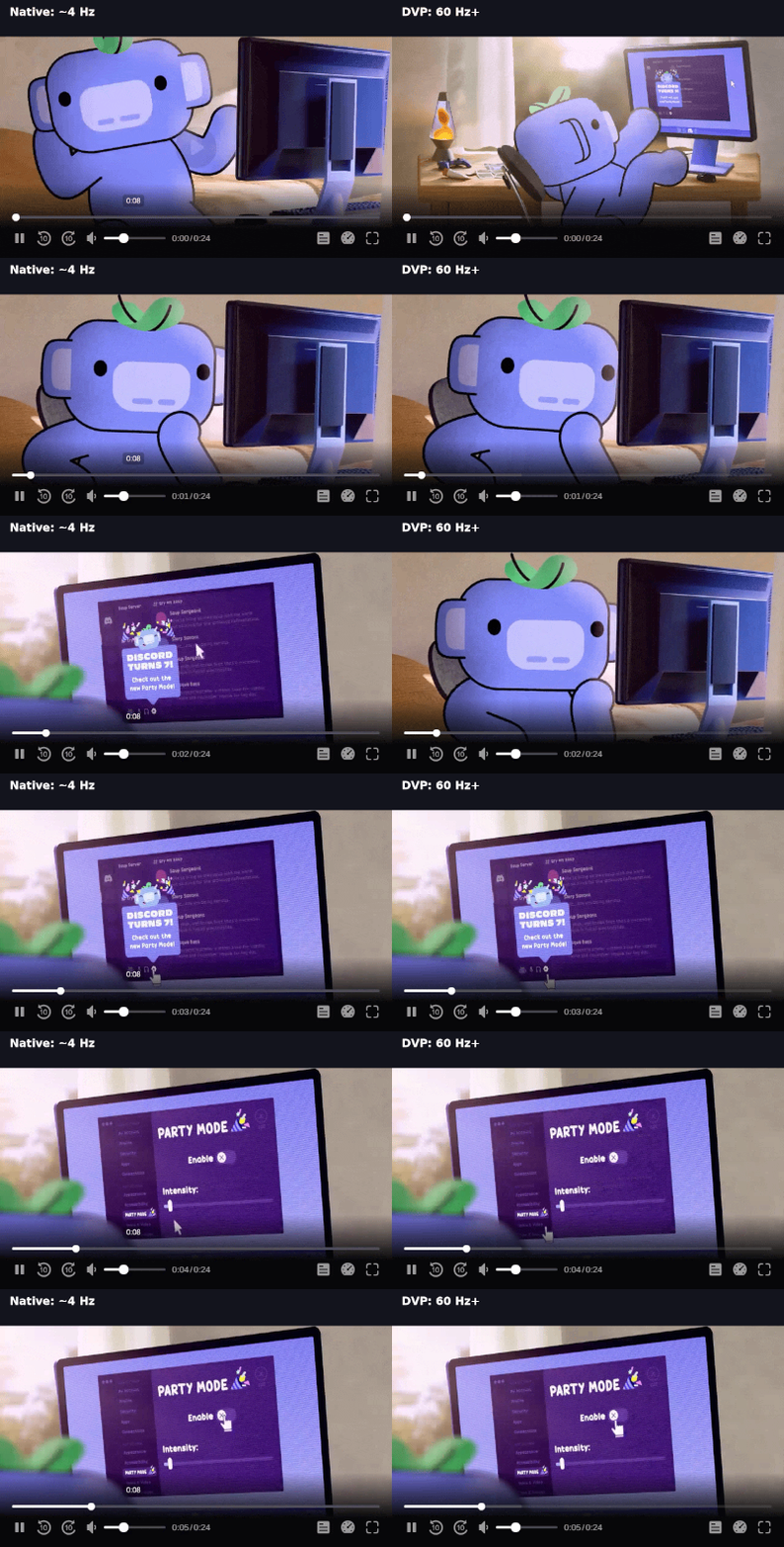
  • A fully animated playhead. Not every bespoke player handled the browser's four-times-a-second updates. DVP runs on its own clock instead and fully smooths out the animation.
  • Controls for any size. From a 240px tile to fullscreen, controls “just work”, with no target shrinking below 24px.
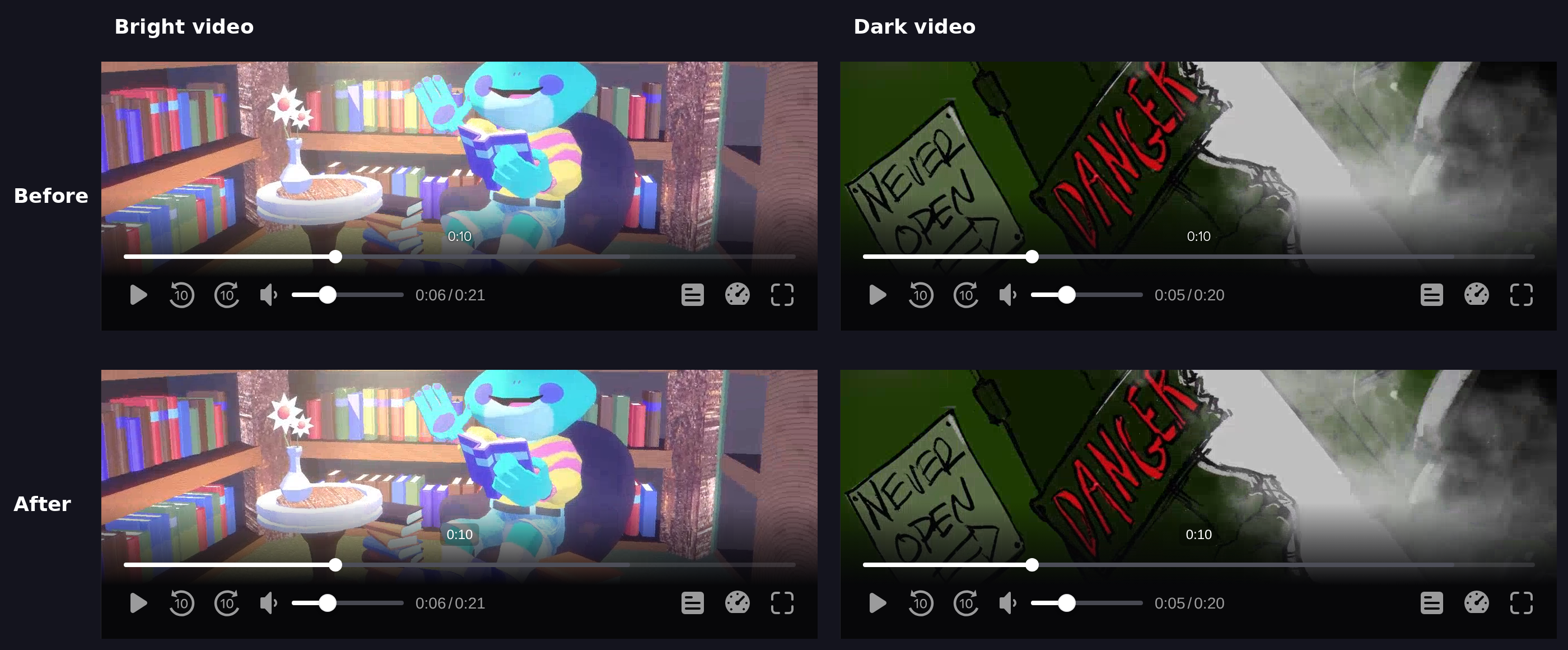
  • Timestamps that don’t disappear into the content. Text visibility on dark pills holds up over bright and dark scenes alike.

Example: Time Indicators That Stay Still

Even something as simple as the time indicators in the timeline still benefits from minute attention to detail.

For example, in most fonts, a "1" is narrower than an "8," so the time readout jiggles as it changes. But "aha!," you say! "Why not just use a monospaced font?" Do this, and you now have a different problem: most monospaced fonts look clunky and unprofessional in this context, like an old VCR from the 80s.

DVP sets font-variant-numeric: tabular-nums, so that every digit takes the same width. That alone wasn't enough. In Discord's brand font, gg sans, the tabular figures looked padded. So the time readout switches to a neutral sans:

/* gg sans's tabular figures look padded; Roboto/Helvetica/Arial have
   well-designed tabular figures that match what video.js and YouTube ship. */
font-family: Roboto, 'Helvetica Neue', Arial, sans-serif;
A short before/after clip of the time readout counting through 0:08 → 0:11.

All of that is the kind of detail that players built individually miss when they have to be constructed from scratch.

Unlocking New Possibilities

As of today, DVP now runs Quests and Clips in Discord’s web and desktop apps. Attachment videos in the message feed are live for a small percentage of users, and we'll roll out to more over the coming month. In the meantime, more than 400 unit tests and 40 Playwright tests now support the player, covering old and new features alike.

Timeline Thumbnails (aka Spritesheets)

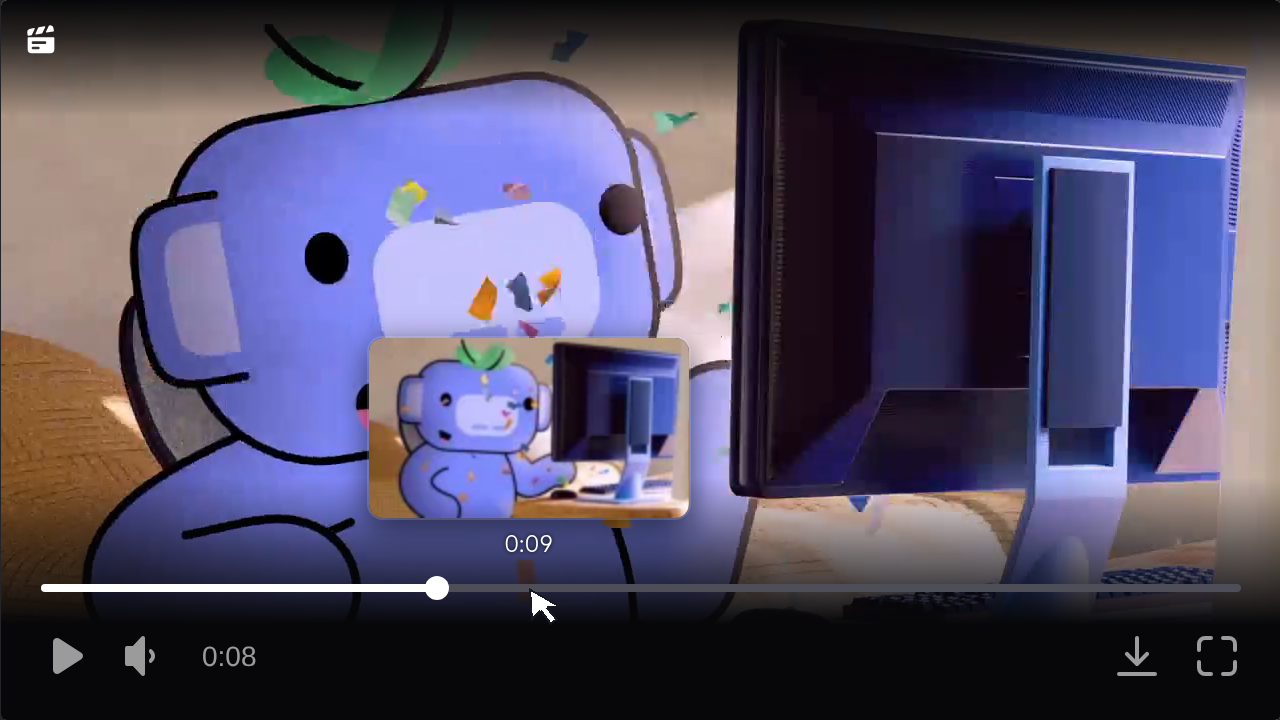
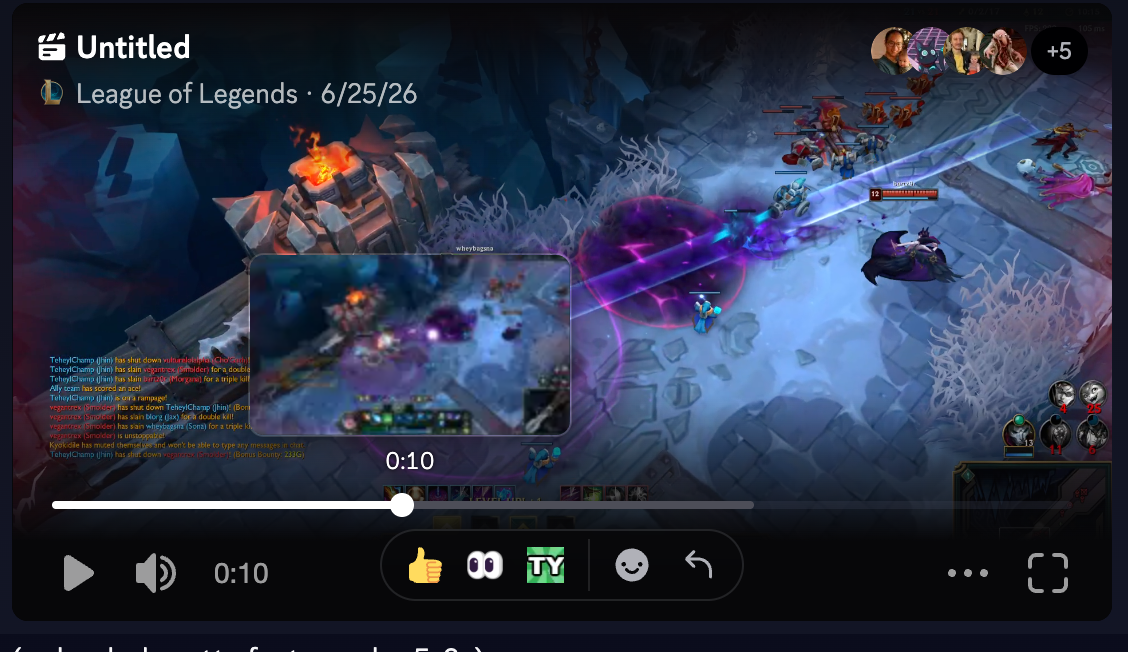
Hover over a Clips timeline, and you'll see a thumbnail of that exact moment. What’s under the hood is a spritesheet: a grid of small preview frames from the video. Alongside that sits a WebVTT file (the same format used for captions), which maps each moment in the video to one tile in the grid.

Supporting this feature ended up being a two-pronged effort on both the backend and the frontend.

Generating sheets: Media Infra added a spritesheet endpoint to Discord’s Media Proxy, our Rust-based media service. Rather than reading the whole video, it uses a highly optimized design that scans the MP4 index, then fetches the relevant keyframe directly. In other words, spritesheets can be generated basically on demand. On a two-minute video, a full spritesheet and its VTT file took only 1.6 seconds to parse and return.

Showing them in the player: Clips built scrub previews straight into the DVP, on top of the timeline's existing hover tracking. That meant turning them on for Clips was just two lines of config:

       <DiscordVideoPlayer
         src={src}
...
         scrubPreviewVttUrl={enableScrubPreview ? attachment.spritesheet_vtt_url : undefined}
         scrubPreviewImageUrl={enableScrubPreview ? attachment.spritesheet_image_url : undefined}

Timeline previews reached 100% of users for Clips playback. For now, they're Clips-only, but any other developer using DVP can enable it on their own surface in the same way.

Variable Speed Playback

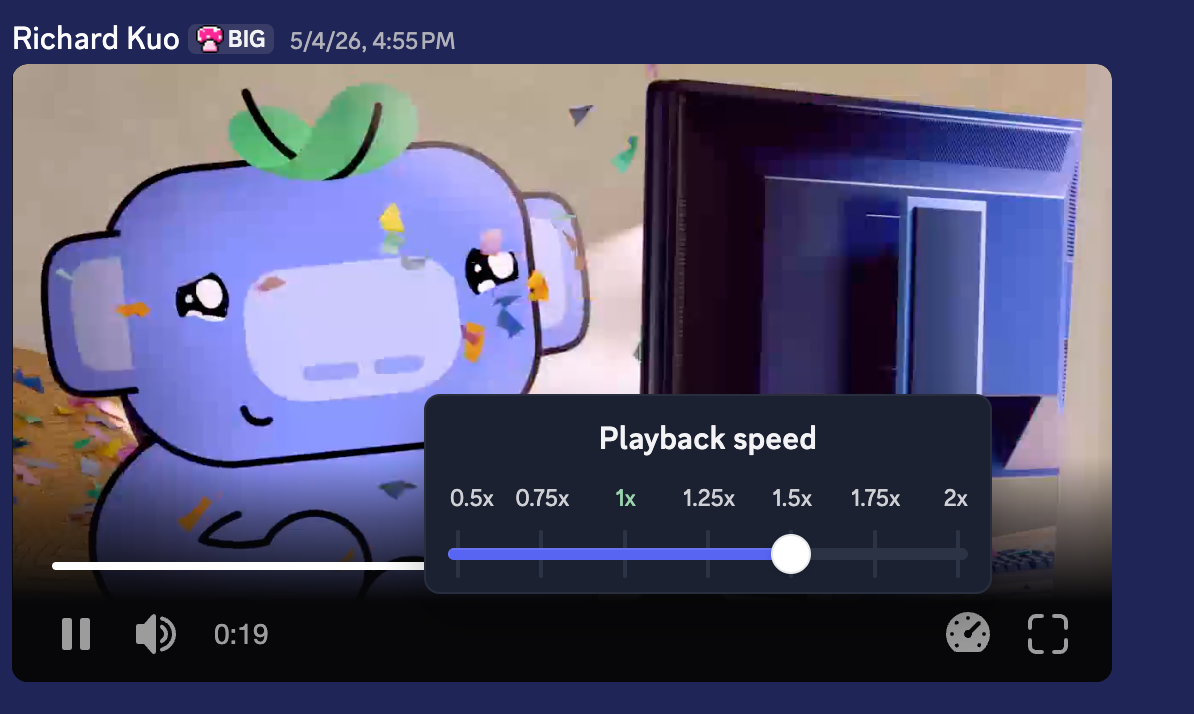
Beam the video your friend just sent you straight into your eyeballs at 1.5x speed! DVP supports seven playback speed settings. And, again, because it’s part of the base player, any surface can enable it as needed.

Built by Clips, for Clips

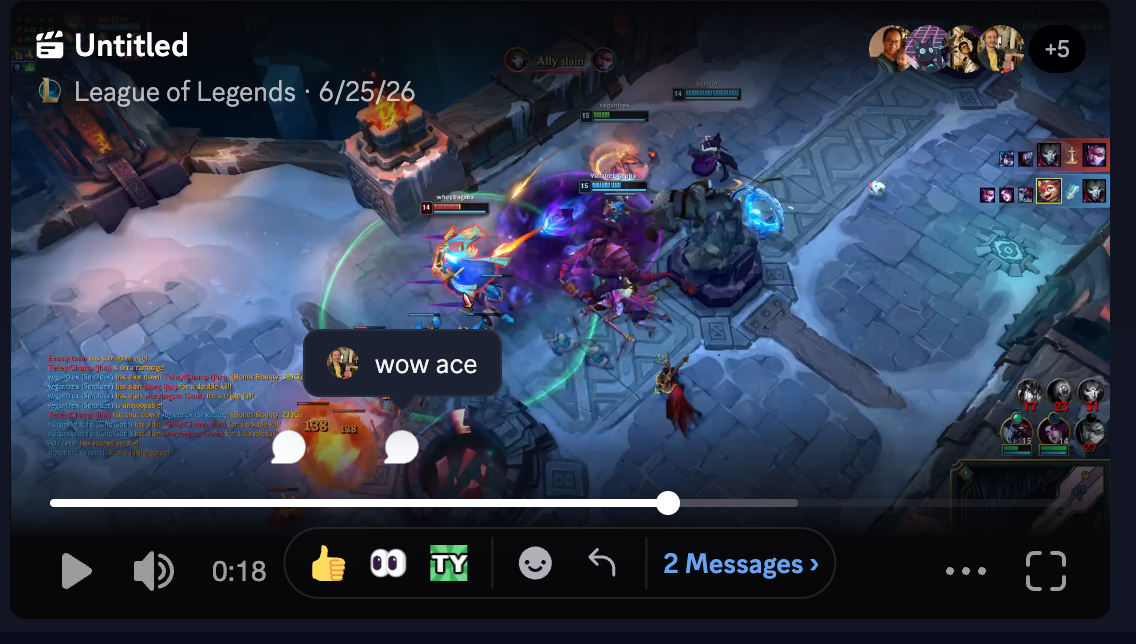
Some amazing custom features have been added by the Clips team, including preview thumbnails, timeline comments, and customized UI behavior. Rather than having to fork a whole new player, these features still stack neatly onto the DVP due to:

  • Render props, a way for DVP implementations to add its own UI drop into fixed slots in the player.
  • Extendable button API, letting a product add its own specific button to the player chrome.

It’s been a real treat getting to modernize the video player at Discord, and we’re really excited to begin sharing those improvements with you! What started as a simple refactor of the Quest player turned into a shared foundation that other devs have been building on with great effect. Quests and Clips already use it today, and attachments in the message feed are rolling out very soon.

In terms of actual impact, we already spoke about all the polish and new features coming. But one important metric is the reusability of our player; How did we do there?

Video player code that each product maintains

That’s the up to 94% reduction in maintenance burden we talked about at the beginning! A real win for any team building a slick video experience at Discord.

After this journey, our team walked away with a few lessons we'll bring with us into any future projects:

  • Characterize before you rewrite. Pinning down the old player’s behavior with tests first meant we could swap in the new one and know exactly what changed.
  • Start with the richest, quietest surface. Quests had the most features but a smaller audience, so we could get the hard parts right before moving on to the feed.
  • Say yes to early adopters. Clips joining partway through might have seemed like a detour, but it pushed us through some real pain points. In the end, having a real third use case made the player production-ready faster.
  • Sweat the small stuff. Smooth playheads and steady numerals are easy to skip, but really provide that polished feel.

With extensive tests underpinning all of the advances we made here, we’ll be able to keep adding even more features in the future with speed and confidence.

If this kind of work sounds fun, take a look at our careers page. We’d love to chat!

Tags
No items found.

related articles